Free AI Blur Background Online

Imaginify helps you blur background areas in a photo while keeping the main subject sharp and natural. Upload a portrait, pet photo, product shot, or close-up image, let AI add realistic depth-of-field blur, and download a cleaner result directly in your browser.

Drag and drop a photo here

Or paste an image from clipboard

Try a sample image

By continuing, you agree to our Terms of Service & Privacy Policy.

Blur Background Preview

See Blur Background Results

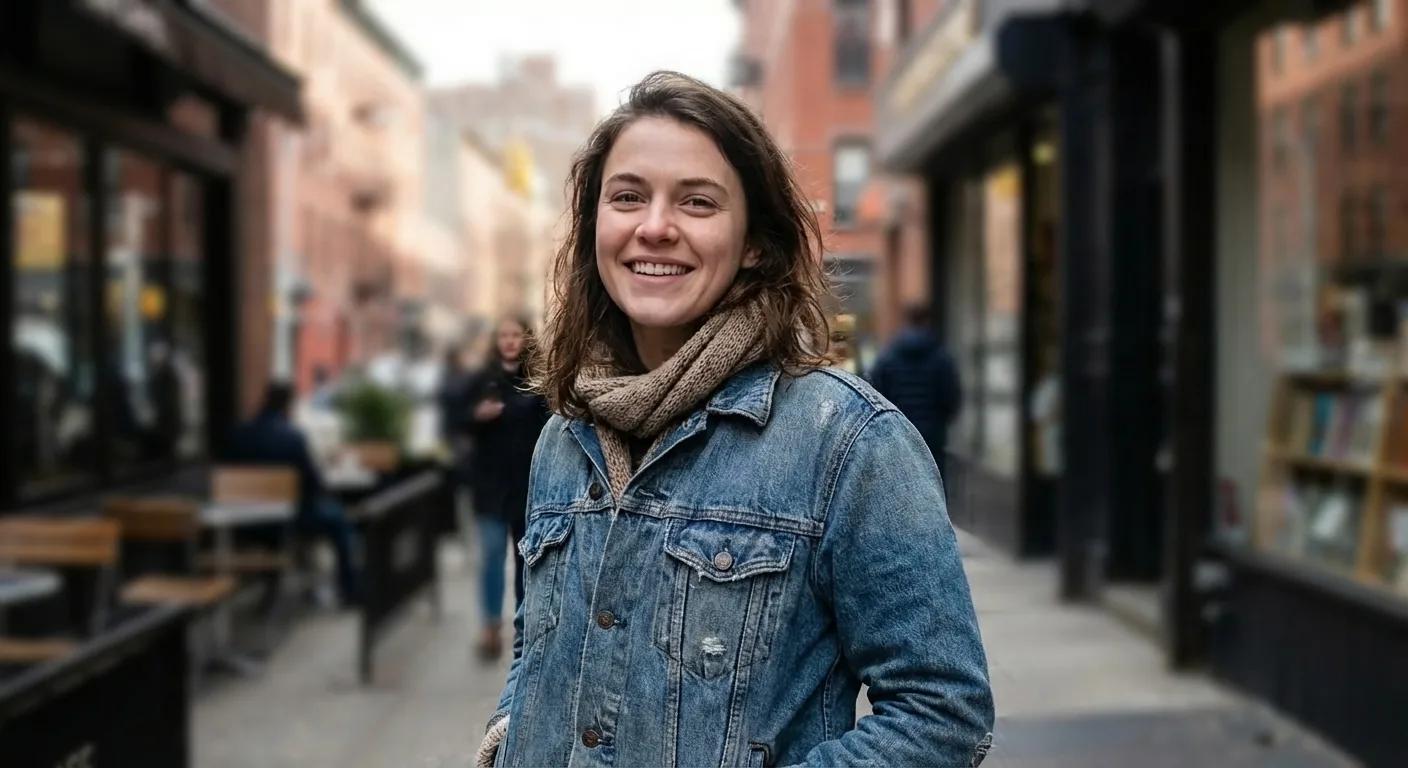
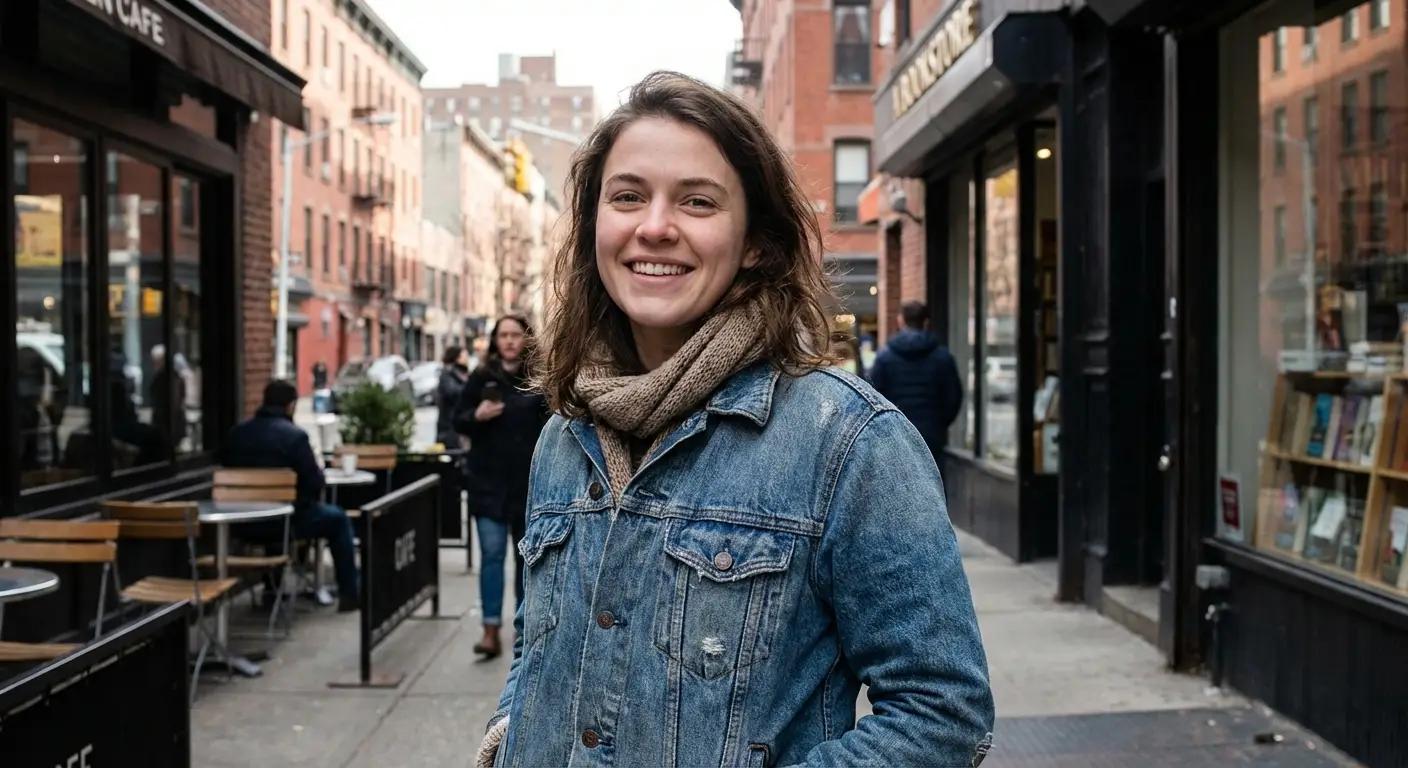
Compare the same photo before and after AI background blur to see how a sharper subject and softer background create a cleaner visual focus.

Street portrait after background blurStreet portrait before background blur
Before
After

Add portrait-style background blur while keeping facial detail, hair, and clothing edges sharp so the person stands out without changing the scene.

Core Benefits

Why People Use This AI Blur Background Tool

This blur background workflow is built for quick, practical editing. It helps you create cleaner subject focus in portraits, pets, products, and close-up shots without opening a full photo editor.

Add Portrait-Style Background Blur

Create a natural depth-of-field look online when the original photo feels too flat or distracting. The tool keeps the main subject sharp while softening the background behind it.

  • Blur background while keeping the subject clear
  • Create stronger visual separation in portraits
  • Preserve the original framing and lighting

Works for Pets, Products, and Everyday Photos

Use background blur for more than people. It also helps product photos, pet portraits, food shots, and close-ups where the subject should stand out more clearly.

  • Good fit for product and pet photos
  • Reduce clutter in everyday backgrounds
  • Keep edges and textures natural

Fast Browser-Based Editing

Upload, blur background, and download in one simple flow. It is a practical online option when you need stronger subject focus without a manual masking workflow.

  • No desktop editor required
  • Quick online turnaround
  • Simple one-image workflow
How It Works

Blur Background in 3 Simple Steps

This blur background workflow is designed for quick, natural-looking edits. You can create a softer background and stronger subject focus in seconds directly from your browser.

1

Upload your photo

Add a JPG, PNG, or WebP image with a person, pet, product, or close-up subject that you want to stand out more clearly.

2

Apply AI background blur

The model detects the main subject automatically, keeps it sharp, and applies realistic blur to the background without changing the composition.

3

Download the edited image

Review the result and save it for social posts, listings, creator assets, product pages, or everyday sharing.

FAQ

Blur Background FAQ

Common questions about using Imaginify to blur background in photos online


Start Blurring Backgrounds with AI

Upload a photo and create a softer background with a sharper subject in seconds.