Free AI Photo Restoration Online

Restore old photos, faded prints, and damaged family portraits in a simple browser workflow. Imaginify repairs scratches, dust, stains, creases, and worn detail while recovering cleaner faces, clothing texture, and overall clarity without forcing you into a long manual retouch process.

Drag and drop an image here

Or paste an image from clipboard

Try a sample photo

By continuing, you agree to our Terms of Service & Privacy Policy.

Restoration Preview

See Photo Restoration Results

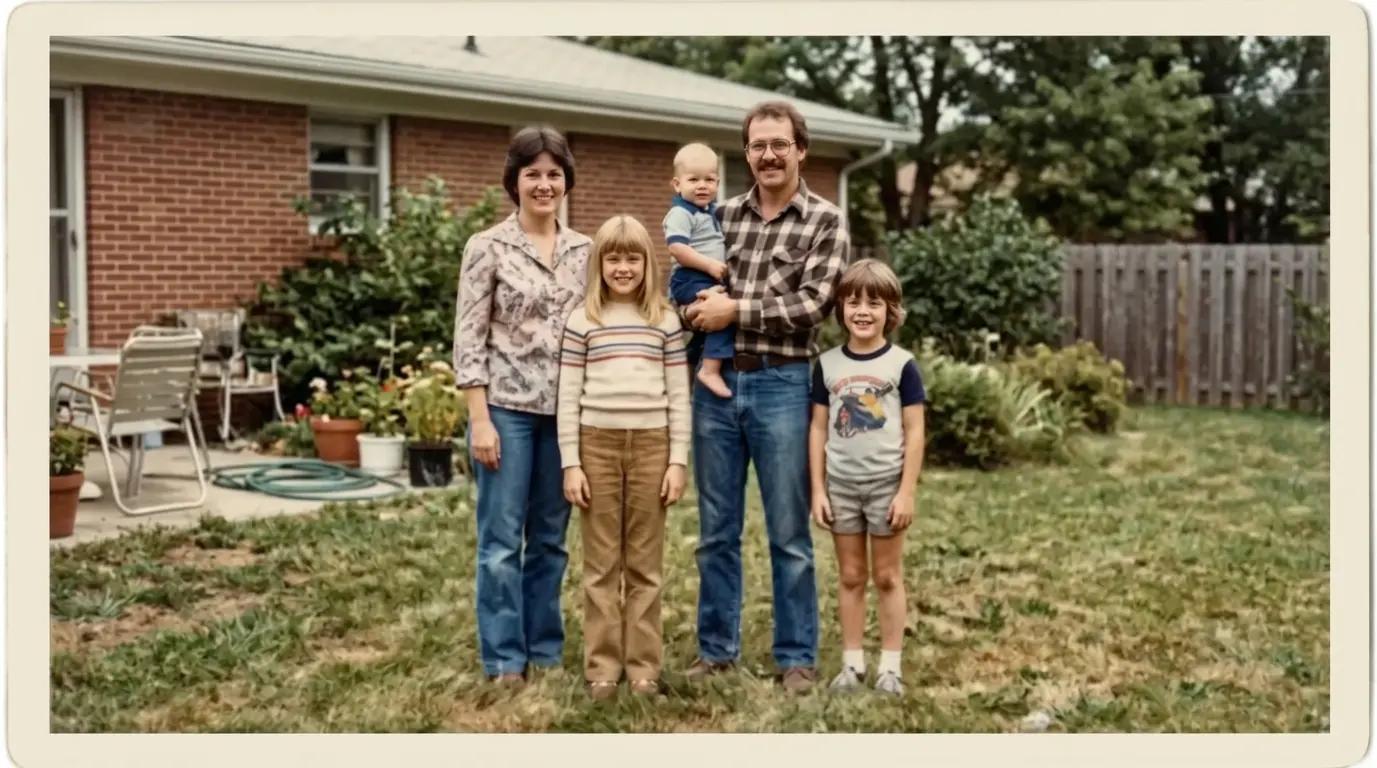
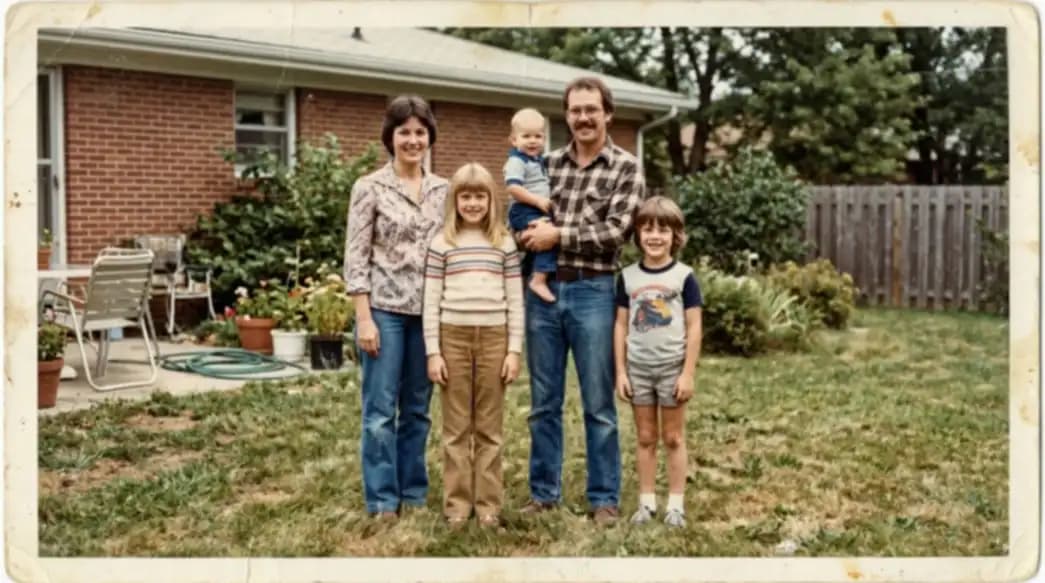
Compare the same old or damaged photo before and after AI photo restoration to see how scratches, fading, and weak detail can be repaired.

Creased family print after photo restorationCreased family print before photo restoration
Before
After

Repair fold lines, dust, and faded contrast in a worn family print while keeping the same people, pose, and backyard setting intact.

Core Benefits

Why Use This AI Photo Restoration Tool

This online photo restoration workflow is built for practical repairs on old, faded, and physically damaged images. It helps you recover usable detail fast without rebuilding the photo from scratch.

Repair Scratches, Dust, and Fading

Use AI photo restoration to clean up common print damage such as scratches, dust specks, stains, fold marks, and low-contrast fading that build up over time.

  • Fix worn and damaged print surfaces
  • Reduce visible scratches and dust marks
  • Recover stronger contrast in faded photos

Recover Faces and Important Details

The tool is tuned to bring back facial structure, fabric texture, and small scene details while preserving the original composition and identity.

  • Restore clearer faces and expressions
  • Recover texture in clothing and backgrounds
  • Keep the original scene recognizable

Restore Old Photos Online in Minutes

Upload, restore, and download in the browser without opening a full editor. It is a fast option for family archives, client cleanup, and content teams handling old photos at scale.

  • No desktop retouch software required
  • Fast browser-based old photo restoration
  • Simple workflow for personal or team use
How It Works

Restore Photos in 3 Simple Steps

Imaginify keeps photo restoration straightforward: upload the old or damaged image, let AI repair it, then download the restored version.

1

Upload your old or damaged photo

Add a JPG, PNG, or WebP file that shows fading, scratches, dust, creases, or soft detail from age and handling.

2

Apply AI photo restoration

The model repairs visible damage, improves local detail, and restores cleaner tonal separation while trying to preserve the original look of the photo.

3

Download the restored photo

Review the result and save it for family archives, social sharing, printing, presentations, or client deliverables.

FAQ

Photo Restoration FAQ

Common questions about restoring old and damaged photos with Imaginify


Start Restoring Old Photos Now

Upload an old or damaged photo and let Imaginify repair scratches, fading, and weak detail in seconds.